


Testing is non-negotiable. No automation should reach production without proving it works. These five testing levels catch errors early, reduce maintenance costs, and build the trust you need from stakeholders before going live.
Why Testing Matters
All too often, an automation works perfectly in development, then falls apart the moment it touches real data. Maybe it can't handle an edge case no one anticipated. Maybe a system connection times out under load. Whatever the cause, a failed automation creates more work than the manual process it was supposed to replace.
That's why testing exists. It's not just a checkbox before deployment. Good testing confirms the automation runs without errors, validates that outputs actually meet business requirements, and surfaces inefficiencies while they're still cheap to fix. Skip this step (or rush through it) and you'll spend far more time troubleshooting in production than you would have spent testing properly.
The Five Testing Levels
Think of these five levels as a progression. Each one builds on the work of the previous level, and each catches different types of problems. Move forward only after meeting your established thresholds, and require formal sign-off for User Acceptance Testing and End-to-End Testing. Those two gates protect you from pushing something into production that isn't ready.
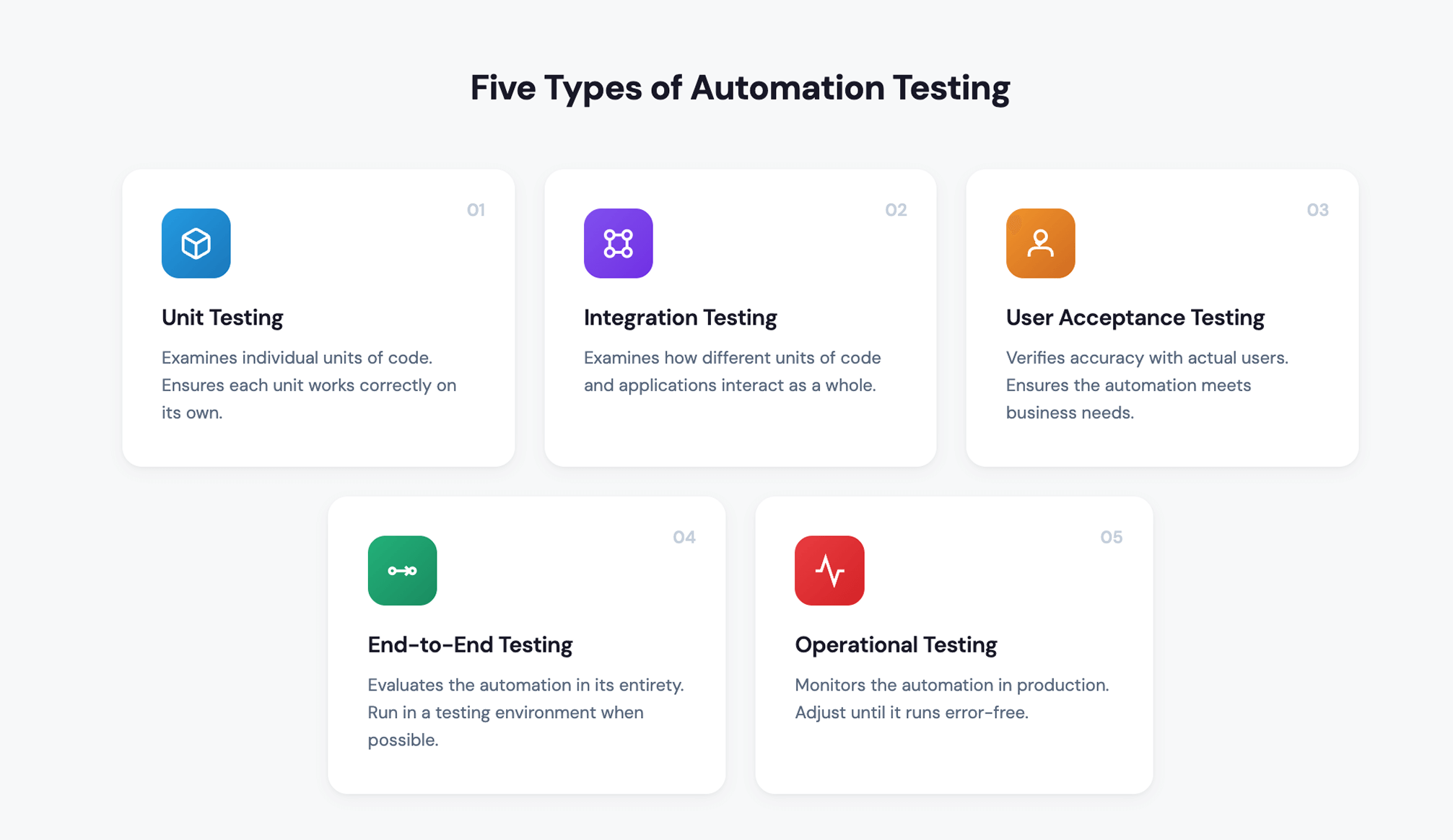
01 Unit Testing
Unit testing is the most granular level. You're verifying that individual code components work correctly in isolation, before they connect to anything else. Think of it as checking each brick before you start building the wall.
The key here is timing. Don't wait until the build is complete to start unit testing. Test throughout development so you catch problems while the code is still fresh in the developer's mind. Most teams handle this through peer review exercises where developers check each other's work. If you have the resources, it's worth having senior developers review code from more junior team members, since they'll often spot issues that less experienced eyes might miss.
Best practices:
- Test during the build, not just after
- Use peer reviews for all code
- Have senior developers review junior work when possible
02 Integration Testing
Once individual components work on their own, you need to confirm they play nicely together. Integration testing verifies that different code units and applications interact correctly. This is where you find out whether your automation actually works as a complete system.
Start by mapping every module, process, and system that must work together. Then test each connection point individually. Does that SFTP transfer land in the right folder? Does the API call return the expected response? Does data flow through each handoff in the correct sequence and timing? One failed connection can bring down the entire automation, so don't assume anything works until you've verified it.
Best practices:
- Map all connection points before testing
- Test file transfers, APIs, and system handoffs individually
- Verify timing and sequencing of data exchanges
03 User Acceptance Testing
This is where the business weighs in. User acceptance testing validates that the automation produces accurate results for the people who will actually rely on it. You're no longer asking "does it run?" but "does it do what the business needs?"
Identify the business process owners affected by the automation and have them review output accuracy. Build a testing plan that covers a wide range of account types, scenarios, and edge cases. This phase consistently trips up organizations because building comprehensive test cases takes real effort. It's tempting to test a handful of scenarios and call it good, but gaps in your test coverage will surface later in production when they're much more expensive to fix. Take your time here.
One more thing: require formal sign-off before moving to the next phase. This creates accountability and ensures business stakeholders are genuinely satisfied with the results, not just nodding along to keep the project moving.
Best practices:
- Include a wide range of account types and scenarios
- Identify all inputs and outputs before building test cases
- Get business process owners involved early
- Document results for every test case
- Require formal sign-off before moving forward
04 End-to-End Testing
Think of end-to-end testing as the dress rehearsal. You're running the complete automation from start to finish in a staging environment, simulating exactly how it will operate in production.
Use a testing environment whenever possible and run the automation on its actual schedule with as much volume as you can throw at it. You want to confirm three things: it runs without manual intervention, it captures the right volume of work, and it produces the expected results. This is also the time to document everything. Record your test cases, who was involved, what results you saw, and how the process unfolded. This documentation eliminates finger-pointing later if something goes wrong. When everyone can see exactly what was tested and approved, there's no room for "I thought someone else checked that."
Sign-off is required here too, for the same reasons as UAT.
Best practices:
- Use staging environments whenever possible
- Run at full volume on the production schedule
- Confirm zero manual intervention is required
- Document test cases, results, and stakeholders
- Require formal sign-off before deployment
05 Operational Testing
This is it. Operational testing happens in production, where you monitor the automation and make adjustments until it runs error-free. It's the final proving ground.
Before you flip the switch, review security protocols and note any differences between staging and production environments. Let business process owners know what to expect and when. Then deploy and watch closely. If something needs adjustment, coordinate with management before making changes. You don't want to introduce new problems while solving old ones.
A word on timing: deploy early in the week. Never on Thursday or Friday. You need runway to monitor and fix issues before the weekend, when support is limited and problems can compound. Plan to watch the automation closely for at least one to two weeks after go-live. Log every adjustment you make during this period so you have a clear record of what changed and why.
Best practices:
- Deploy early in the week, never Thursday or Friday
- Monitor closely for 1 to 2 weeks after go-live
- Log all adjustments made during this period
- Coordinate changes with management before implementing
Building Trust Through Testing
There's a reason we emphasize sign-offs, documentation, and involving business stakeholders throughout this process. Testing isn't just about catching bugs. It's about building confidence across the organization.
When you involve business process owners in UAT, you give them ownership of the outcome. They're not just receiving a finished product; they're shaping it. When you document your test cases and results, you create transparency that prevents blame-shifting if something goes wrong later. And when you monitor production closely in those first weeks, you demonstrate that you're committed to getting it right, not just getting it done.
The payoff is trust. Stakeholders learn that automations from your team will perform as intended. That trust makes future projects easier to greenlight, easier to staff, and easier to support. It's worth the investment.
Frequently Asked Questions
Q: What are the different types of testing for RCM automations?
Five levels—unit, integration, user acceptance, end-to-end, and operational.
Q: Why is user acceptance testing the hardest phase?
Creating comprehensive test cases that cover all inputs, outputs, account types, and edge scenarios takes significant time. Organizations consistently underestimate this effort, which leads to gaps that surface later in production.
Q: When should we deploy RCM automations to production?
Early in the week. Never Thursday or Friday—you need time to monitor and fix issues before the weekend.
Q: How long should we monitor automations after go-live?
Plan for 1–2 weeks of close monitoring after production deployment to catch and resolve issues quickly.