


At the heart of automation lies the promise of achieving more with less. But as organizations embrace automation at scale, they need a maintenance strategy. Despite its importance, maintenance often gets overlooked in the excitement of deploying new automations. The journey doesn't end once an automation goes live.
Beyond initial deployment, continuous monitoring, logic adjustments, troubleshooting, and enhancements keep automations running smoothly and adapting to evolving digital landscapes. While this may seem daunting at first, with the right tools and processes, maintenance becomes routine.
Why Maintenance Matters
Regular maintenance ensures automations are reliable, efficient, and aligned with business needs.
As automation programs mature, they require more maintenance. A solid maintenance process mitigates this, freeing developers to focus on building new automations.
Automation solutions can become outdated as new technologies and systems emerge. Regular maintenance extends the life of your automation solutions and makes them more future-proof.
The Role of Operations and Automation Teams
Smooth operation and longevity of RPA solutions depends on collaboration between operations and automation teams. When an automation undergoes maintenance, it's unavailable to operations. That requires coordinated effort to minimize disruption.
The operations team needs a plan to manage accounts manually while the automation team fixes issues. The automation team frequently needs input from operations to verify changes and ensure accuracy before implementation.
Four Core Maintenance Activities
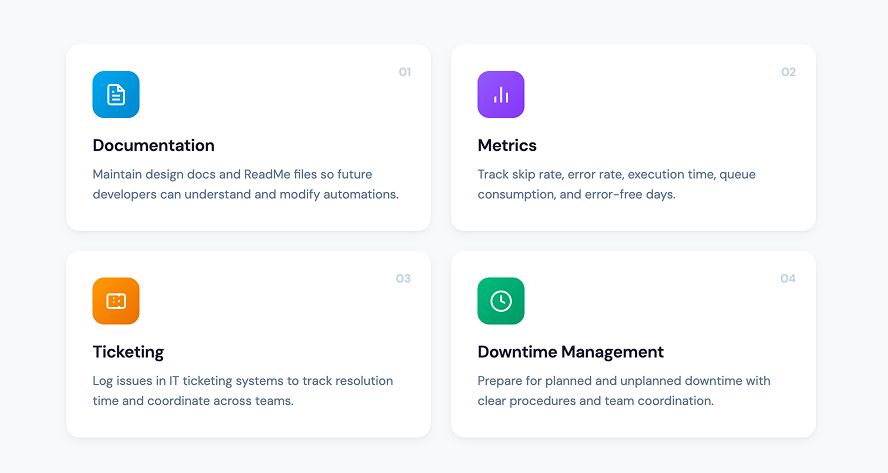
01 Documentation
Approach documentation with this mindset: the original team that built the automation may not be available for future maintenance. Just as the digital landscape changes frequently, so does your team's composition.
Two components stand out:
Design documentation. Typically overseen by the solution architect, this serves as the blueprint guiding developers during initial construction. Organizations often neglect to maintain this documentation beyond the initial build phase—a critical oversight. It captures how data inputs drive automation steps, the business logic governing decision-making, and key components that address the underlying business challenge. Whenever developers update the code, the solution architect should promptly revise the design documentation. This ensures future developers have an accurate roadmap for understanding and modifying the automation.
ReadMe documents. Authored by the development team for each object or node within the automation, these serve as vital resources for understanding automation details. A ReadMe should include issues encountered during the build process, testing directions, and significant decisions about architecture and logic. By documenting these details, future developers—especially those not involved in the original build—can effectively troubleshoot when maintenance is required.
02 Metrics
You cannot address what you don't measure. Monitor the health of your automations through these metrics:
Skip rate. The percentage of skipped accounts relative to total queued accounts. A skip occurs when the automation opts not to process an account due to insufficient information. Monitoring skip rate reveals the prevalence of incomplete data, which may require adjustments to data sourcing or preprocessing workflows.
Error rate. The percentage of unsuccessful account processes compared to total accounts processed. An account is considered processed if the automation initiates its handling, excluding skipped accounts. Tracking error rate helps pinpoint workflow instability or logic errors, guiding targeted troubleshooting.
Execution time. The average and median duration to process an account from start to finish. Monitoring execution time identifies bottlenecks or inefficiencies, guiding optimization efforts.
Queue consumption rate. The percentage of accounts processed out of total accounts queued. This measures an automation's ability to consume its anticipated volume within designated run time. Adjust execution time or run time if the automation isn't consistently processing all queued accounts.
Error-free days. The percentage of operational days during which the automation functions within an acceptable error rate threshold (such as 5%). This provides an overarching view of reliability and consistency over time.
03 Ticketing
Incorporating automations into existing IT ticketing systems streamlines tracking and reporting of issues, monitors resolution time, and facilitates cross-department coordination.
Teams manage maintenance tasks more effectively when they consistently use the ticketing system for logging and tracking all automation-related issues. By capturing data within the ticketing system, organizations can identify recurring issues, trends, and optimization opportunities.
Ticketing systems also improve communication and professionalism around automation programs. Organizing issues by priority and resolution time enables informed decisions and effective resource allocation. For example, categorizing issues by priority helps teams distinguish urgent tasks from those that can wait.
Ticketing systems enable teams to navigate trade-offs. The automation team may temporarily pause new builds to address a high-priority maintenance issue causing an unmanageable backlog for operations. Visibility into task dependencies and resource constraints empowers informed decisions aligned with organizational priorities.
04 Downtime Management
Prepare for both anticipated and unanticipated downtime. Anticipated downtime includes EMR and major application updates. Unanticipated downtime includes events like a GUI change on a website. In both cases, the automation team must inform operations that the automation will be unavailable, triage the issue, and fix the underlying problem.
Essential practices for all downtime scenarios:
- Set expectations upfront. Automation teams should align with operational teams that automations will experience downtime, and the process being automated remains their responsibility. Don't build automations without this alignment.
- Provide workqueue access. Separate accounts that humans will work on from those that robots handle. But give operational teams access to automation work queues so they can intervene without administrative hurdles.
- Configure automated emails. Set up automated emails to operations triggered when the automation fails to run.
- Establish a triage system. Create a triage level rating based on how long it will take to fix the issue. Operational leaders are responsible for writing clear downtime procedures that align with the triage level assigned by the automation team.
- Document downtime plans. Store downtime plans in a place accessible to both automation and operational teams, such as an intranet site.
Additional steps for known upgrades:
Block off two weeks before and after an application or EMR upgrade. Focus solely on reducing downtime during this period. Deprioritize new builds, enhancements, and other work.
Have a representative from the automation team join application and EMR meetings to learn about forthcoming upgrades. Get access to release notes. To the extent possible, get your automation team early access to the test environment. This allows the team to view, test, and understand how upgrades will impact automations as soon as possible.
Keep Your Automations Running
The maintenance phase is the last and most overlooked phase in the Automation Lifecycle. Many tools, processes, and responsibilities are necessary to keep your automations running smoothly. By following these tactics, any organization can limit downtime, stay coordinated, and sustain their automations. The results will follow.
Frequently Asked Questions
Q: Why do RPA automations require ongoing maintenance?
Automations operate within digital environments that change frequently—EMR updates, payer portal redesigns, new browser versions, and shifting business requirements. Without regular maintenance, automations break down, skip accounts, or produce errors.
Q: What metrics should we track to monitor automation health?
Skip rate, error rate, execution time, queue consumption rate, and error-free days. These metrics reveal where automations need attention before small issues become major problems.
Q: How do automation and operations teams coordinate during maintenance downtime?
Coordination requires clear agreements upfront. Operations teams should have access to automation work queues so they can process accounts manually when needed. Automation teams should send automated alerts when an automation fails and assign triage levels based on estimated fix time. Both teams should have access to documented downtime procedures. This shared accountability prevents backlogs and keeps revenue cycle operations moving.
Q: How should we prepare for planned system upgrades that affect automations?
Block off two weeks before and after any major upgrade. Deprioritize new builds and focus on reducing downtime. Have someone from the automation team join upgrade planning meetings, review release notes, and request early access to test environments.