


Why Design Determines Automation Success
Design is where automations succeed or fail. Well-designed automations deliver cost savings, improved efficiency, and consistent accuracy. Poorly designed ones break frequently, require constant maintenance, and erode team confidence over time.
The stakes are high enough that we recommend dedicating a Solution Architect to manage all aspects of the automation's design. This person owns the process from shadowing sessions through governance approval, ensuring nothing falls through the cracks.
Think of design as the blueprint phase. You wouldn't build a house without detailed architectural plans. The same principle applies to automation. Rushing through design to start building faster almost always backfires with extended timelines, scope creep, and frustrated stakeholders.
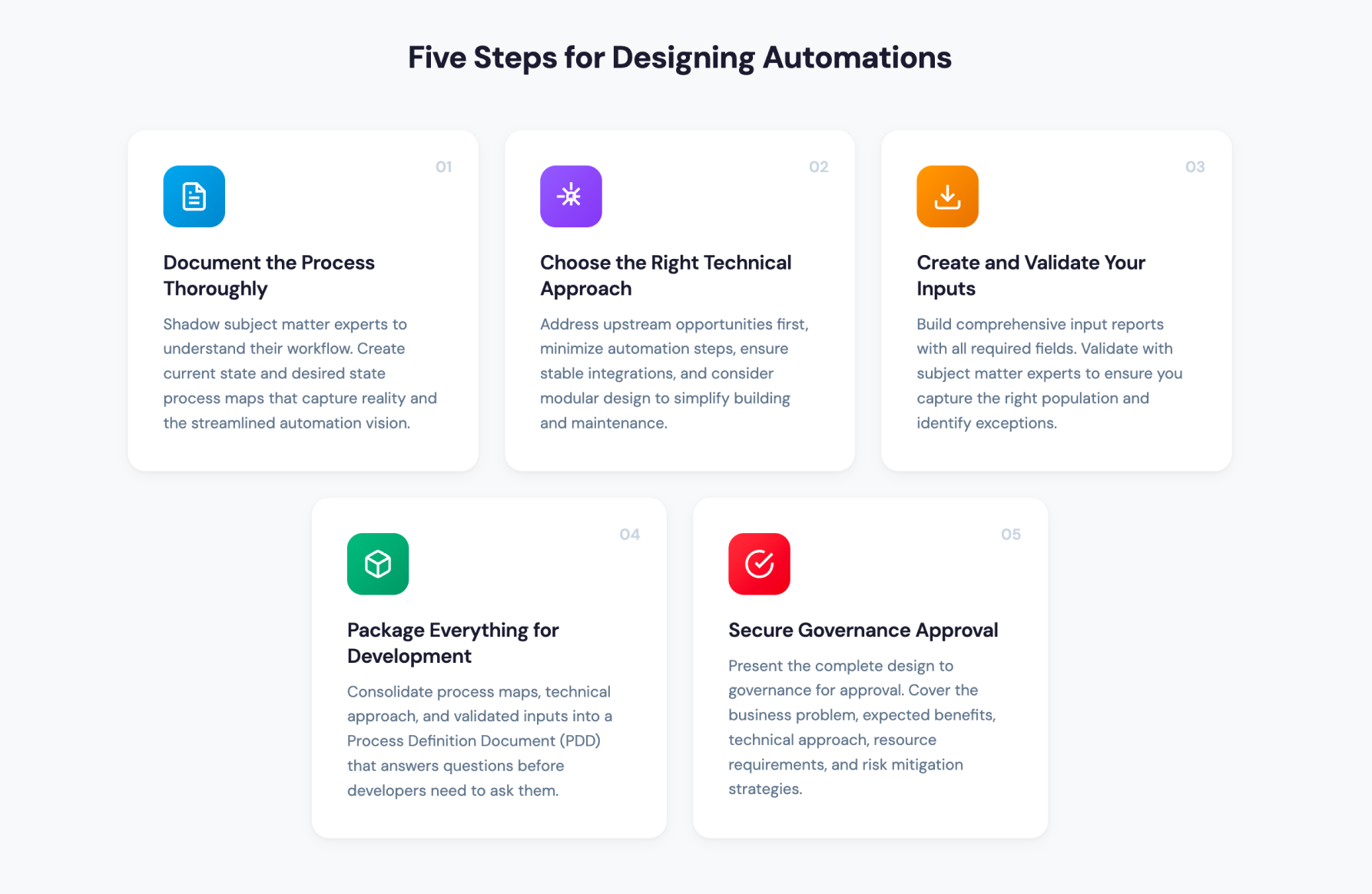
01 Document the Process Thoroughly
Start by shadowing subject matter experts. Set clear expectations upfront about what you need to learn, then have experts walk through every step of their workflow. Ask them to explain why each step exists, what information they need to complete it, and what the overall process accomplishes.
Pay special attention to exceptions. These edge cases trip up automations more than any other factor. If an expert mentions "sometimes I have to do this differently," dig deeper. Understand when, why, and how often these variations occur.
Once shadowing is complete, create two process maps:
Current State Map Document the process exactly as it's performed today. Don't add improvements or shortcuts. This map captures reality, including inefficiencies, redundant steps, and workarounds that have developed over time.
Desired State Map Now streamline the process for automation. Remove unnecessary steps, consolidate decisions where possible, and incorporate upstream improvements. This map represents how the automation should work, not how humans currently work.
These maps serve as knowledge transfer tools. They help developers understand both what exists today and what you're trying to achieve. When questions arise during development, and they will, these maps provide answers.
02 Choose the Right Technical Approach
With process documentation complete, you can plan your technical approach. This involves several key decisions:
Address Upstream Opportunities First Look for process improvements that can happen before the automation runs. Can you eliminate steps by changing how data enters the system? Can you standardize inputs to reduce exception handling? Making upstream changes simplifies the automation and improves long-term stability.
Minimize Automation Steps Every step an automation takes is a potential failure point. The desired state map should reflect the most efficient path possible. If you can reduce a 15-step process to 8 steps through system configurations or workflow changes, do that work before building the automation.
Ensure Stable Integrations Evaluate how data will flow between systems. APIs are generally more reliable than screen scraping. Direct database connections are more stable than file exports. Choose integration methods that won't break when systems update or screens change.
Consider Modular Design Complex automations often work better as two or more distinct modules. Breaking a large process into smaller pieces simplifies both building and maintenance. When something breaks, you can isolate the problem faster. When requirements change, you can update one module without affecting others.
03 Create and Validate Your Inputs
The automation needs data to work with. Isolating the correct population and validating exceptions ensures only relevant accounts flow through the process.
Build the Input Report Work with IT and a knowledgeable report writer to construct a report or worklist containing every field the automation needs. If the automation requires patient name and date of birth to look up a claim, those fields must exist in the report. Missing fields force developers to add extra steps or, worse, cause the automation to fail.
Think through the entire process when defining report requirements. It's common to realize during development that you need additional fields. Building a comprehensive report upfront prevents delays later.
Validate with Subject Matter Experts Once the report is drafted, review sample accounts with subject matter experts. Confirm the report captures the right population. Identify accounts that shouldn't be included and understand why. Discuss exceptions that might cause problems.
This validation process is iterative. Expect multiple rounds of review as you refine the population criteria. The accuracy of your input data becomes clearer when you actually run accounts through the automation, so plan for adjustments during development.
04 Package Everything for Development
With process maps, technical approach, and validated inputs complete, consolidate everything into documentation the development team can use. Most organizations use a Process Definition Document (PDD) for this purpose.
The PDD captures:
- Current state and desired state process maps
- Business logic and decision criteria
- Exception handling requirements
- Data input specifications and population criteria
- System access and integration details
- Success metrics and expected outcomes
Good documentation answers questions before developers need to ask them. Incomplete documentation leads to assumptions, and assumptions lead to rework.
05 Secure Governance Approval
Before development begins, present the complete design to governance for approval. This step ensures alignment with organizational strategy and priorities.
Prepare a clear, concise presentation covering:
- The business problem being solved
- Expected benefits and ROI
- Technical approach and integration points
- Resource requirements
- Risk factors and mitigation strategies
Address infrastructure and security concerns proactively. If significant time has passed since design completion, verify that nothing has changed with the process or business priorities. Stakeholder involvement throughout the approval process builds support and surfaces concerns early.
Moving Forward with Confidence
The Design phase requires patience and attention to detail. Rushing through it to start building faster almost always extends overall timelines. Organizations that invest in thorough design work see better outcomes: more reliable automations, lower maintenance costs, and higher team confidence in the automation program.
The work you do in Design pays dividends throughout the automation's lifecycle. When issues arise, well-documented processes make troubleshooting faster. When requirements change, modular designs simplify updates. When new team members join, comprehensive documentation accelerates onboarding.
Take the time to design well. Your future self will thank you.
Frequently Asked Questions
Q: What is the Design phase in RCM automation?
The stage where processes are documented, technical approaches are selected, and requirements are packaged for developers.
Q: Why does automation design matter so much?
Poor design causes frequent breakdowns, high maintenance costs, and declining team confidence. Well-designed automations deliver reliable cost savings and improved efficiency for years. Investing time in thorough design work prevents expensive rework and scope creep during development.
Q: What documentation do developers need to build an automation?
A Process Definition Document containing process maps, business logic, exception handling, data specifications, and system integration details. Comprehensive documentation answers questions before developers ask them, reducing delays and assumptions.
Q: How long does the Design phase take?
Two to six weeks depending on process complexity.
Q: Who should lead the Design phase?
A dedicated Solution Architect.
Q: What are current state and desired state process maps?
Current state documents today's manual process exactly. Desired state shows the streamlined version optimized for automation.